
The Site’s Ledger and Secretary: DNS and CDN
This Part
Your site is on now, but it opens with a temporary address that GitHub gave it, such as drsamadi.github.io (a hypothetical example). The name you bought for the site, for example drsamadi.ir, is not connected to anything yet. If someone types it on their phone, nothing opens. In this part we take the first step of connecting it.
The domain you bought is still in the shop
A patient walks into the practice and says: “I’m Rezaei.” The secretary opens the ledger and sees that next to the name Rezaei it says “file 440”. She goes to the shelves and brings file 440. Without this ledger, the secretary would not know where each patient’s file is.
A site has a ledger like this too, and its name is DNS. The patient types your site’s name on their phone. On the internet, DNS looks in its ledger and sees that next to this name it says “this site’s files are on GitHub”. Then it takes the patient right there.
When you bought the domain, for example drsamadi.ir, from IRNIC, you actually bought this very ledger. But the ledger is still in the shop, like goods you have paid for and not yet picked up. IRNIC is holding the ledger because you have not yet told it where to send it. On top of that, the ledger is empty, and nowhere in it does it say where your site is.
So first we have to take the ledger out of the shop and hand it to the secretary.
Arvan, the site’s secretary
ArvanCloud is an Iranian company that does the internet work of sites. You create an account with it and do all the jobs in one Persian-language panel. Some of its services are paid, and you see the price in the panel itself before paying. I run the DentCast site with this same panel myself.
Arvan does two jobs for us:
- DNS, which means keeping the ledger. Arvan gives you two addresses. You give these addresses to IRNIC, as if saying: “Send the ledger here.” From then on the ledger is with Arvan, and whatever needs to be written in it, you write in the Arvan panel.
- CDN, which means a secretary who keeps copies of the files at hand. Imagine the archive of files is in another city. If the secretary went all the way to that city for every patient, the patient would wait a long time. A clever secretary makes copies of the files and keeps them on her desk. Your site and its files are on GitHub, which means outside Iran, like that distant archive. Arvan makes a copy of the site and keeps it near the patient so the site opens faster. The small lock you see next to the site’s address, which means the site is secure, is also the work of this secretary.
The site itself does not move and stays on GitHub. That is why, if the foreign internet is cut, the secretary cannot reach the archive either. (There is also a way to deal with the foreign internet being cut or with the internet becoming national, which I will explain later.)
In the Arvan panel there is a switch called “Use cloud service”. If it is on, the secretary makes a copy of the site and hands that to the patient. If it is off, Arvan only keeps the ledger of addresses.
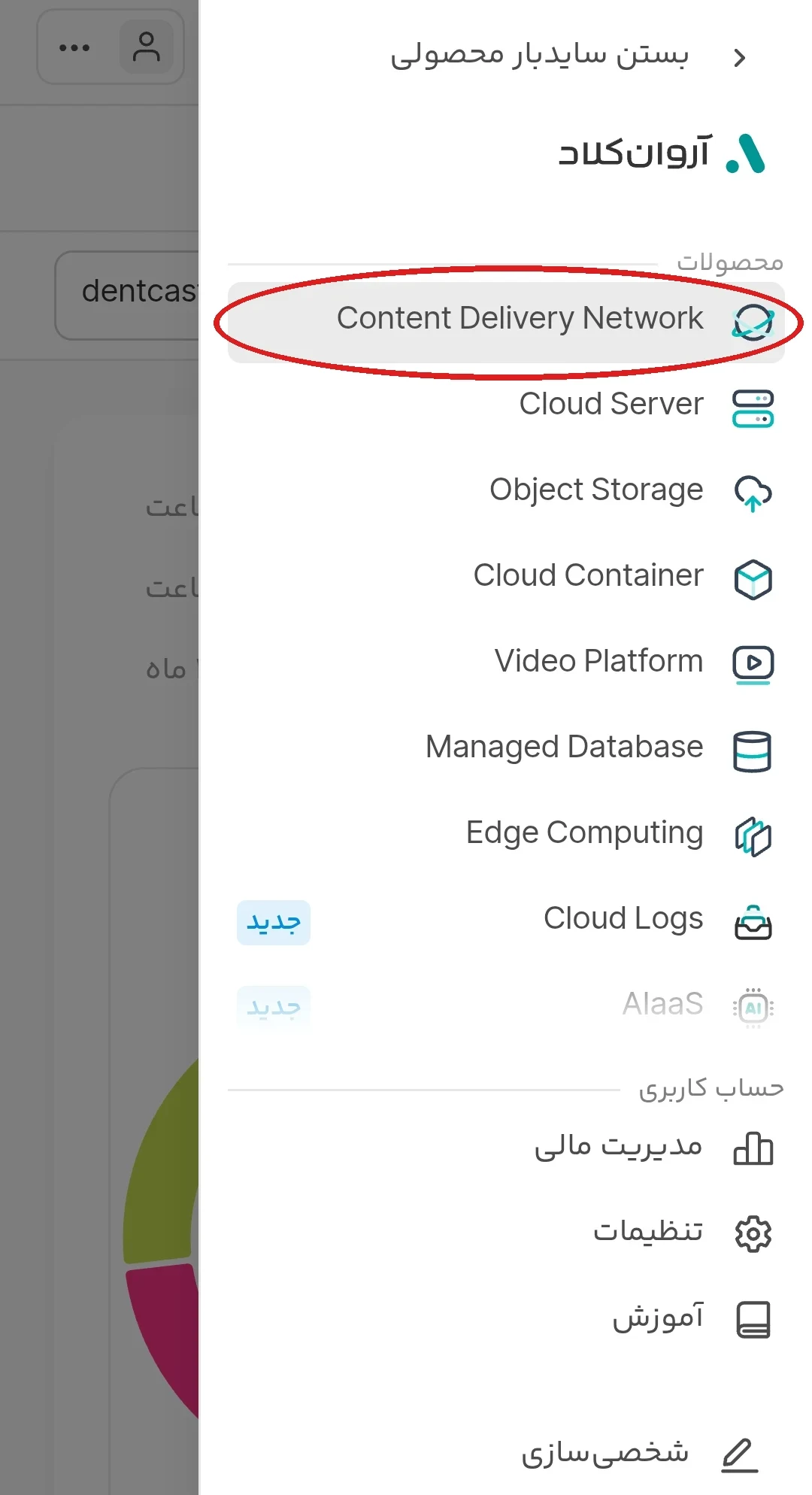
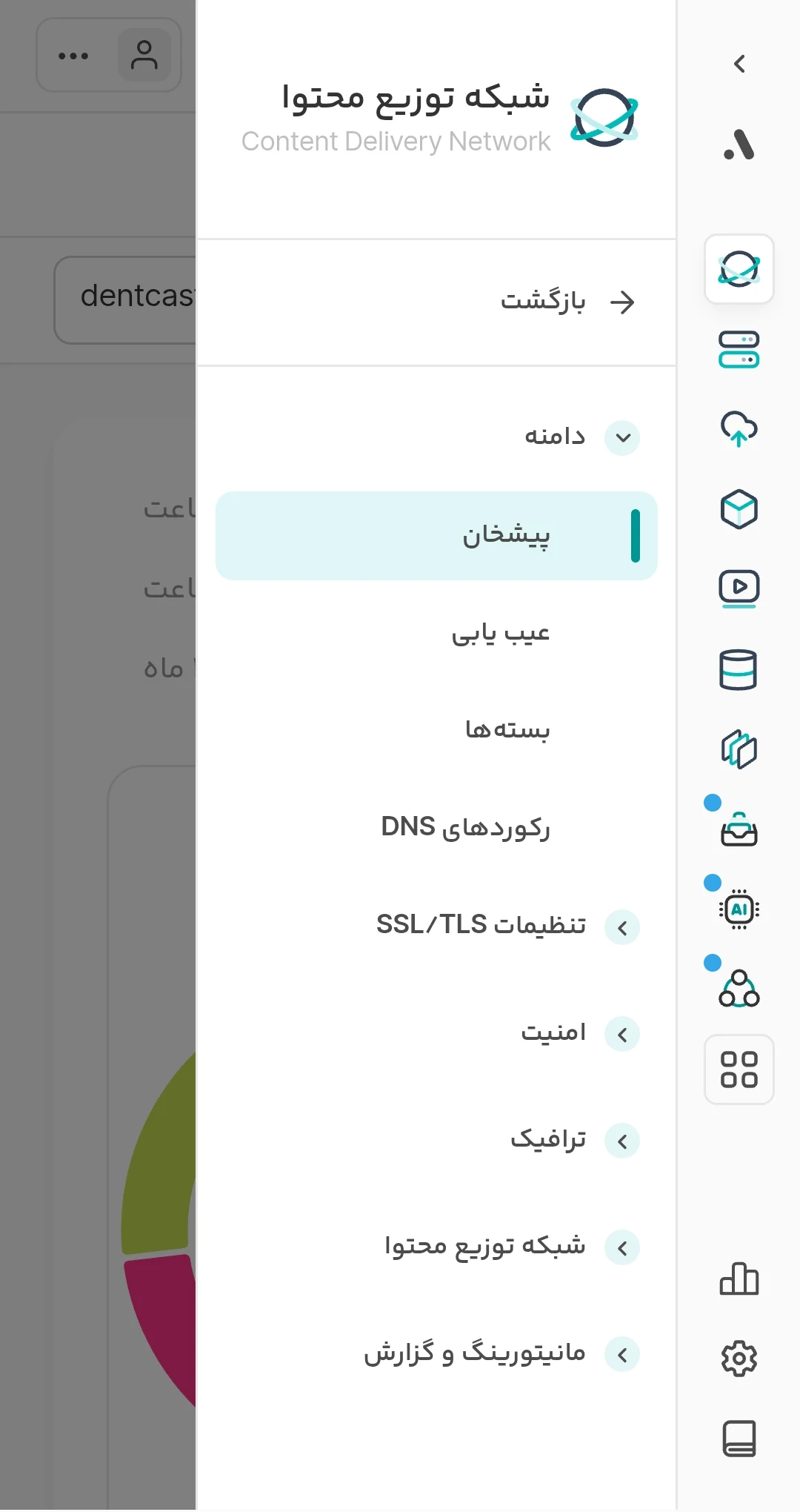
Arvan does many things, and when you enter its panel you see a long list. Our work is with only one section, called Content Delivery Network, which is the CDN. The DNS ledger is inside this same section.
Handing the ledger to Arvan, in two steps
The pictures in this part are from my own panel, and your panel has the same shape.
Step one: add the domain in Arvan
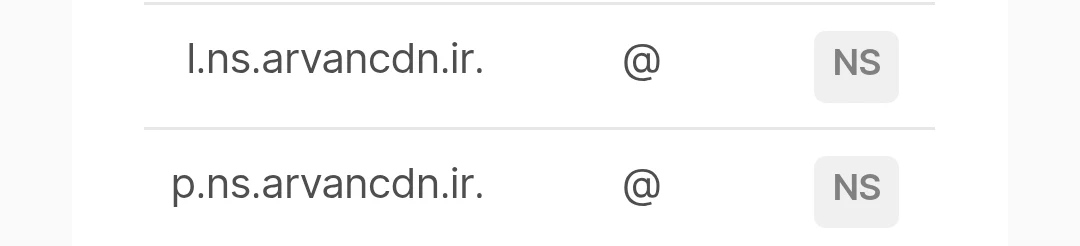
Go to the ArvanCloud site and create an account. Then, in the CDN section, add your domain’s name. At the end, Arvan shows you two addresses that look like p.ns.arvancdn.ir. These two addresses are called “Name Server”. What they mean is this: “Hey, IRNIC! I bought this domain from you. Send its ledger to this address at Arvan, because I am going to use it.” Copy both of them.
Step two: send the ledger from IRNIC to Arvan
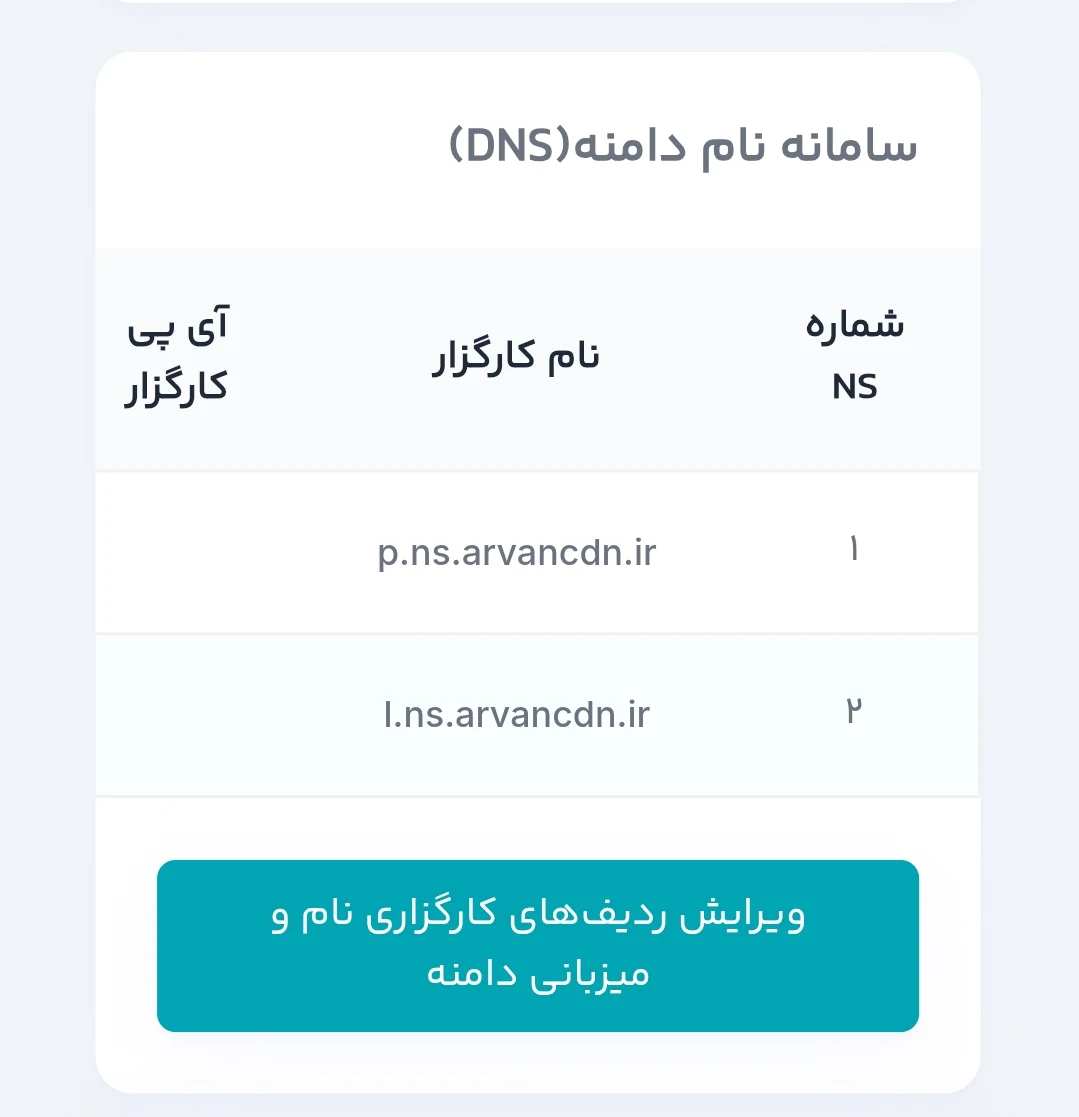
Now we tell IRNIC where to send the ledger. Go to the nic.ir panel and open your domain. At the bottom of the page there is a section called “Domain Name System (DNS)”. Press the button “Edit the name-server and hosting records of the domain”. Write the two addresses you copied from Arvan in place of the previous addresses and save.
It may take up to 24 hours for the ledger to reach Arvan, but it usually arrives sooner.
How to tell it worked
Open the domain’s page in the IRNIC panel again. In the “Domain Name System (DNS)” section you should see the same two Arvan addresses, in place of the previous addresses.
In the Arvan panel too, in the “Domain list”, “Active” should be written next to your domain’s name.

If you type the domain on your phone now, a site still does not open. Don’t worry, nothing is broken. The ledger has reached the secretary, but it is still empty and nowhere in it does it say where your site is.
- You have created an account in Arvan and added the domain.
- You have copied the two Arvan Name Server addresses.
- In the IRNIC panel, the “Domain Name System (DNS)” section shows the same two Arvan addresses.